
In this 2nd part of “extend dlink 655 wireless network with linksys (DD-WRT) and engenius routers“, I will show you how to set your linksys router (DD-WRT firmware) to connect to d-link 655 router in WDS mode.
To recap, my linksys router is a repeater of my main internet router d-link655 and it is connected to a printer.
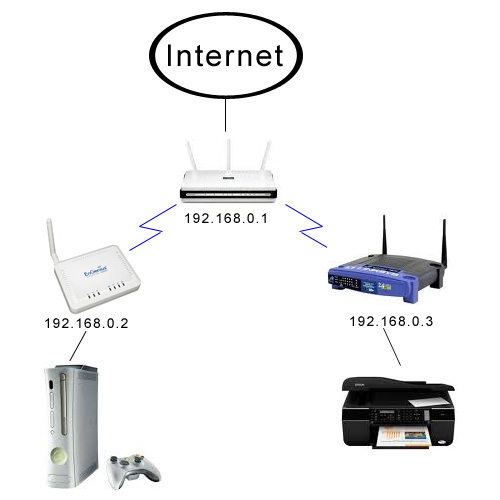
Click on the below screenshots below to enlarge
1. Configuration in basic setup.
Here yo set both gateway and local DNS server to 192.168.0.1
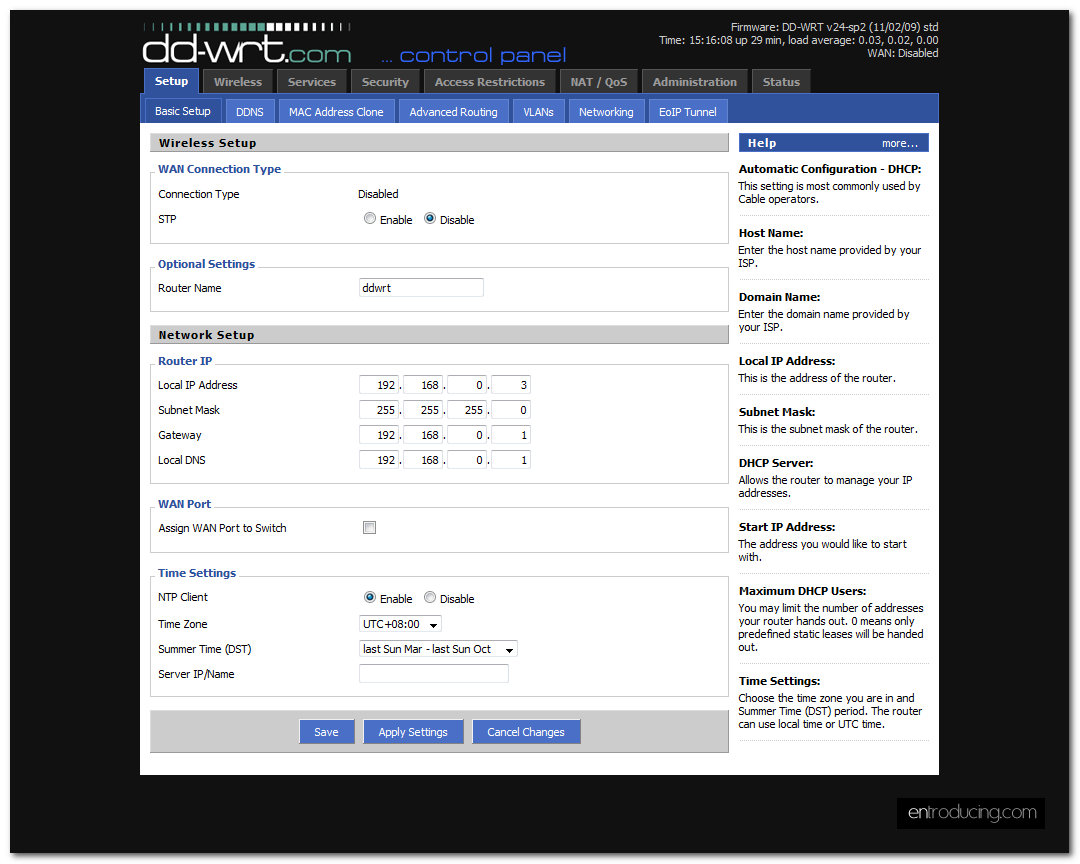
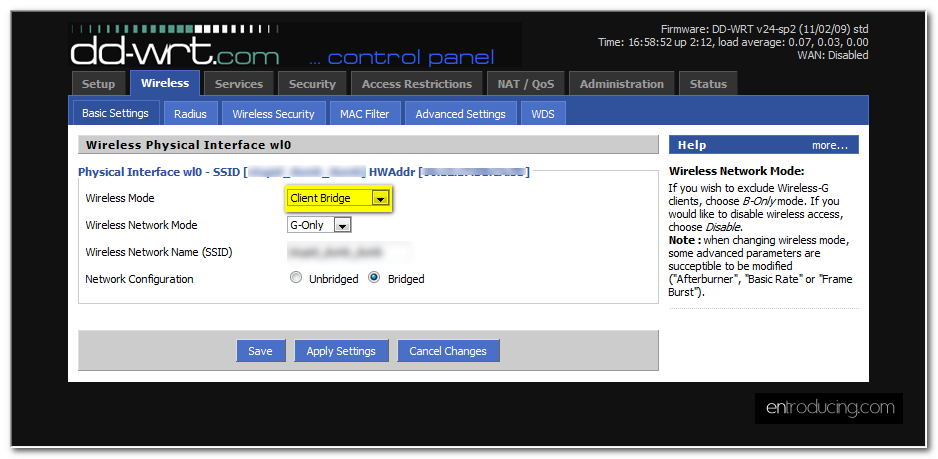
2. Click on ‘Wireless’ tab and ‘basic settings’ subtab.
Select ‘Client Bridge’ mode
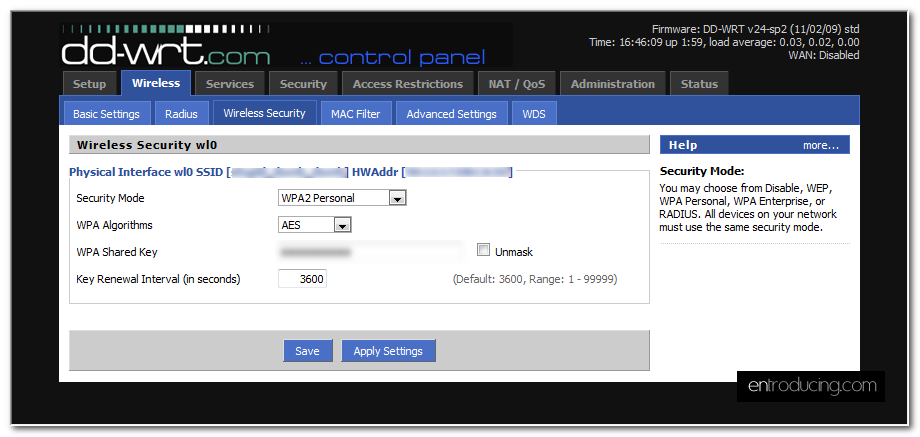
3. Select ‘Wireless Security’ sub tab
Enter your security mode and shared key
4. Go to ‘Advanced Settings’. I think I leave everything as default.
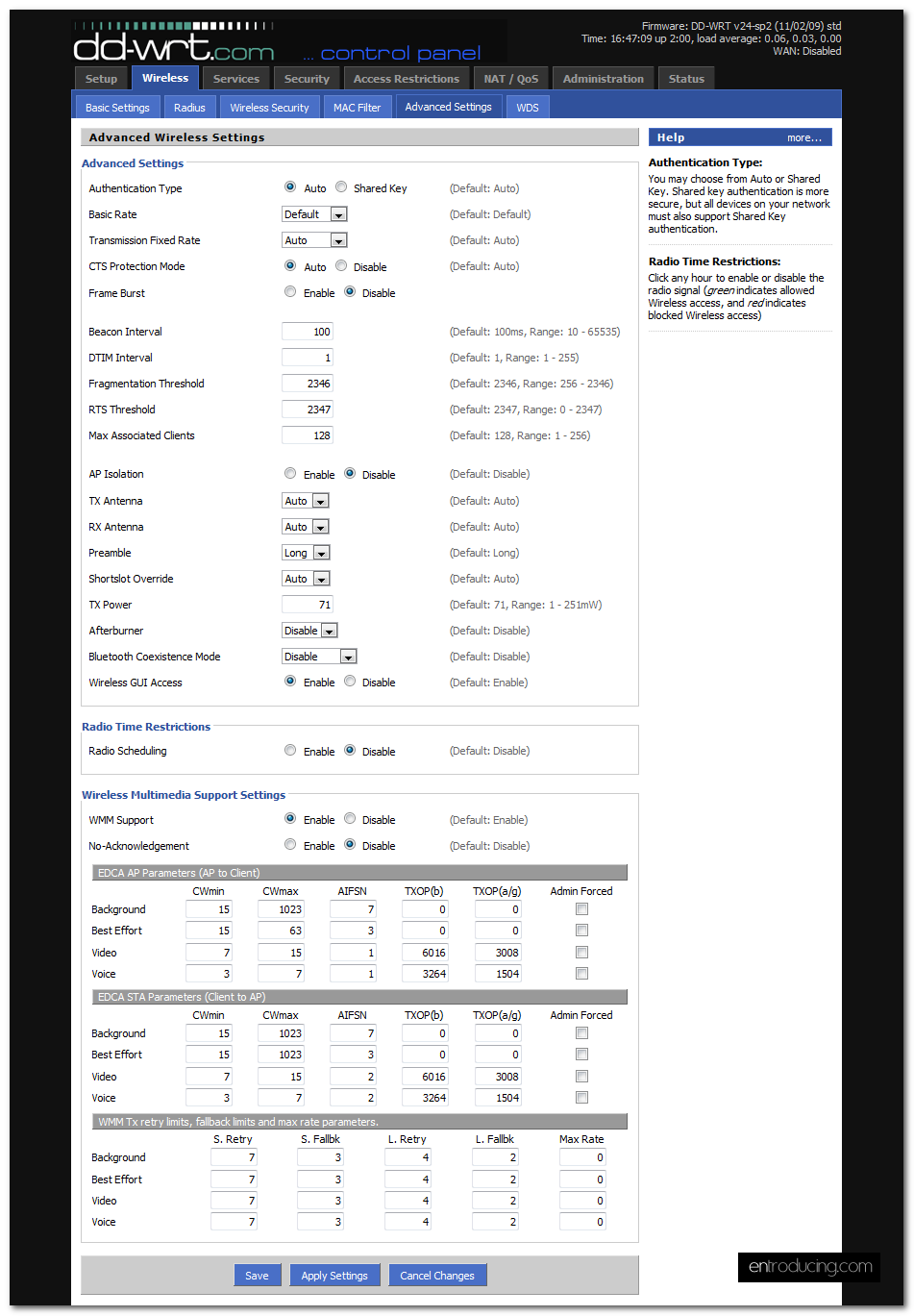
5. Go to ‘WDS’ subtab.
Enter your main router IP address for the first line. This is to tell your router to linked up with your main router
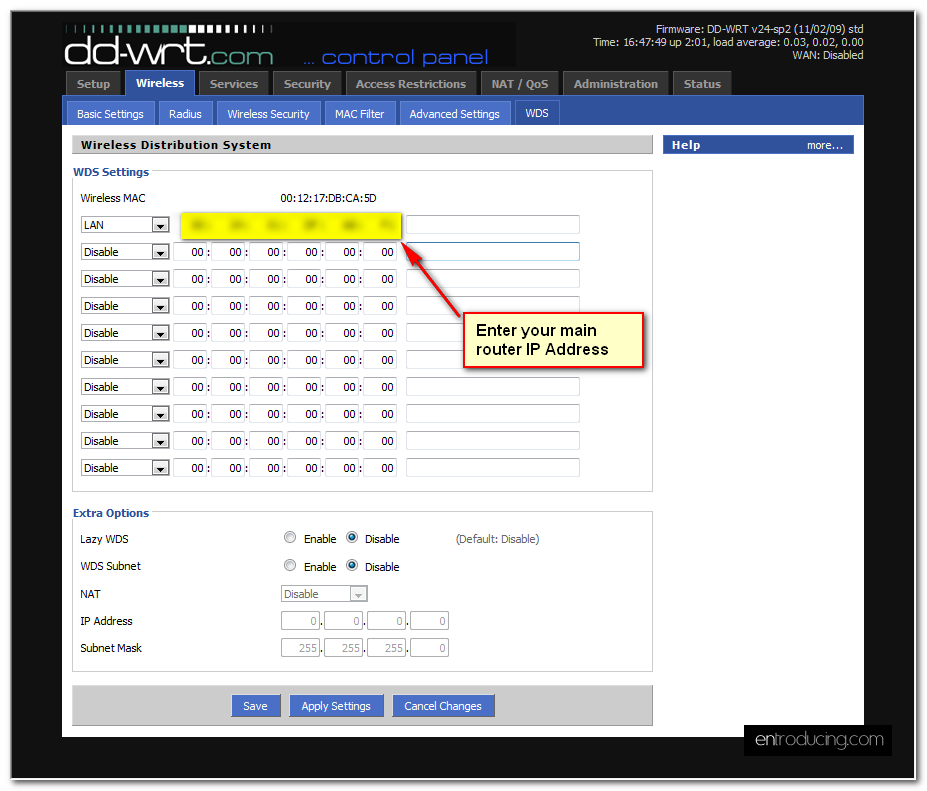
6. Reboot both your main router and dd-wrt router and try again.
Does it works?

2 comments
Hey i really liked your style and design. Thought your thing was actually really cool.
I try to do this with one dlink 655 router and dlink 905L, i do the same process and i hace some problems to do…
my config is
Main router dlink 655
ip 192.168.10.1
dhcp active
second router dlink 905L
ip 192.168.10.2
same subnet mask than main, same ssid and pass
no dhcp
WDS is on and mac address entered is of the main
your dlink 655 has WDS option or you only active WDS in the other routers only?